Group Diff Ignore Lists
Just as you can ignore items from node scans and drift reports in Cloudhouse Guardian (Guardian), you can also ignore items from group difference reports. Difference reports are made up of individual configuration items that are compared between each node in the group. These items range from comparing cookie settings to comparing device IP addresses. In the case of IP addresses, no two nodes will ever have the same address, so this configuration item will always show up as a difference in these reports. So, you might choose to add this to the ignore list for group diffs. You can always toggle these items back into view on difference reports, but including them on an ignore list can help streamline these views in Guardian.
Note: This article covers setting up ignore lists for group difference reports. For more information on ignoring items from scan results and drift reports, see Node Scan Ignore Lists.
Add a Configuration Item to a Group Diff Ignore List
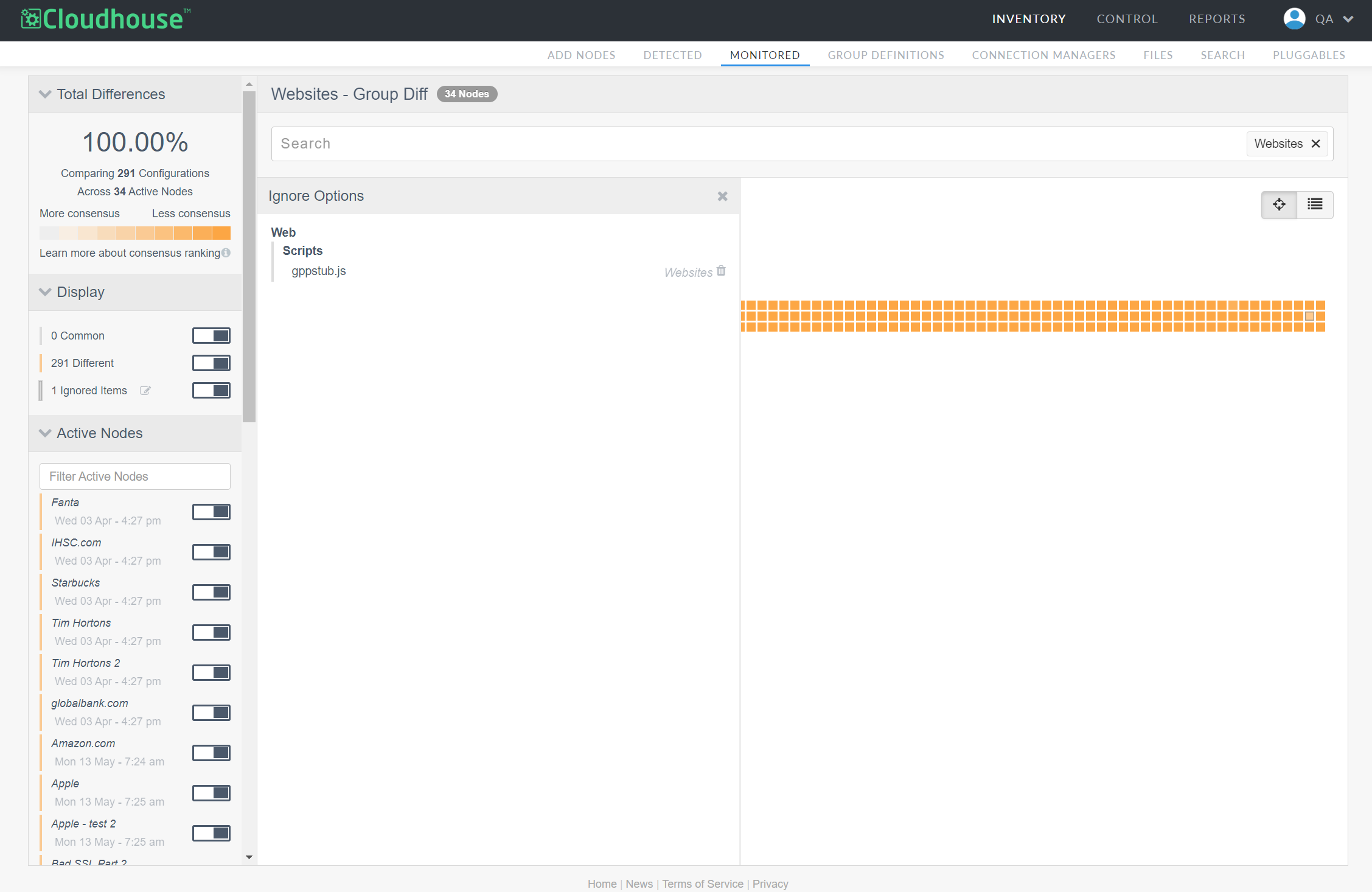
Configuration items can be added to ignore lists directly from a difference report. On this page, each configuration item is represented by a colored square that you can hover your cursor over or select to view more information. Once you identify the configuration item you wish to ignore, you can add it to an ignore list for one or more node groups.
To add a configuration item to an ignore list, complete the following process:
Tip: To learn how to add a wildcard to an ignore list, see View and Edit a Group Diff Ignore List.
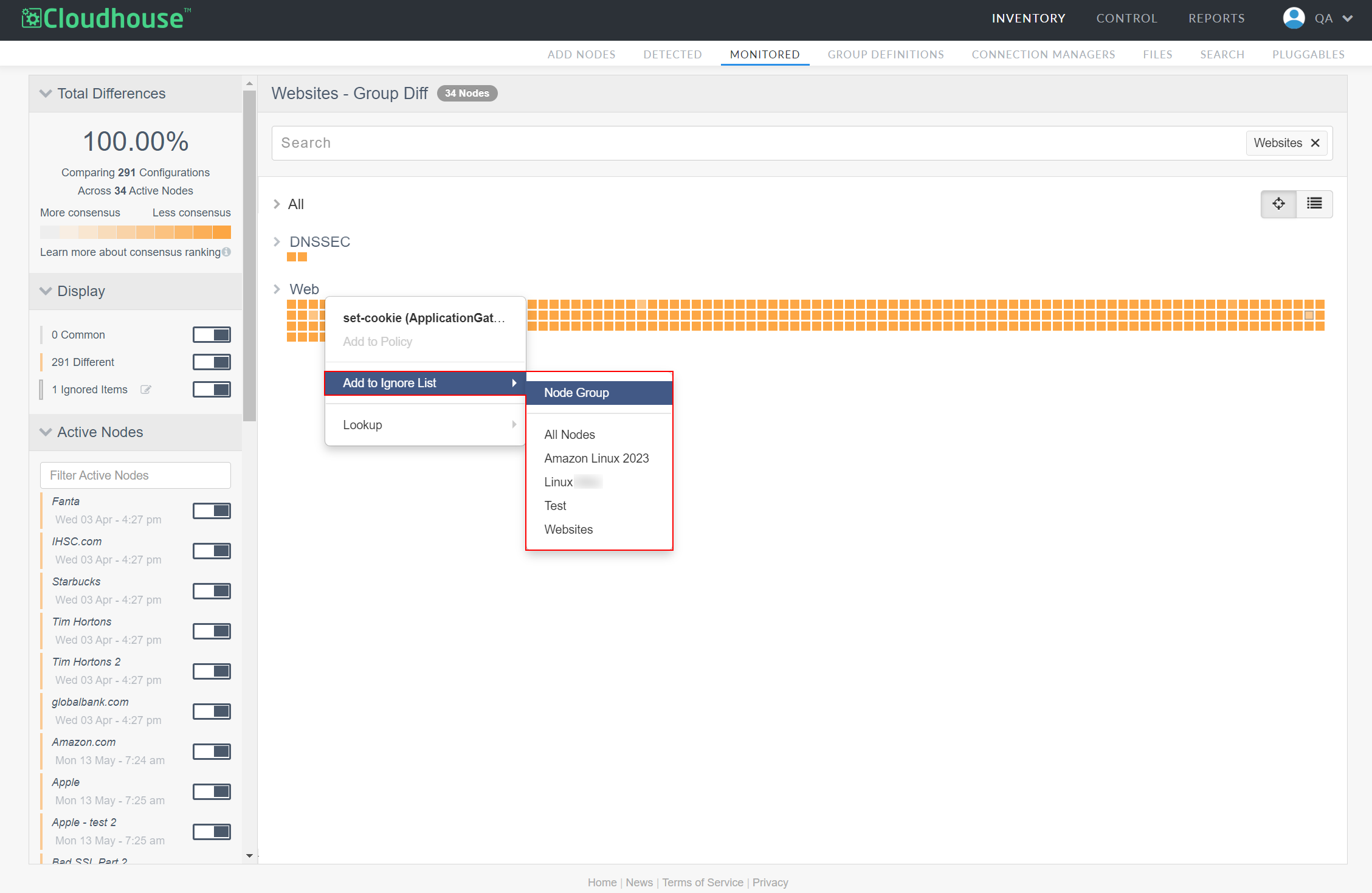
- From a difference report, right-click the configuration item you want to ignore. The context menu is displayed.
-
From Add to Ignore List, select the node group you want to ignore this configuration item.
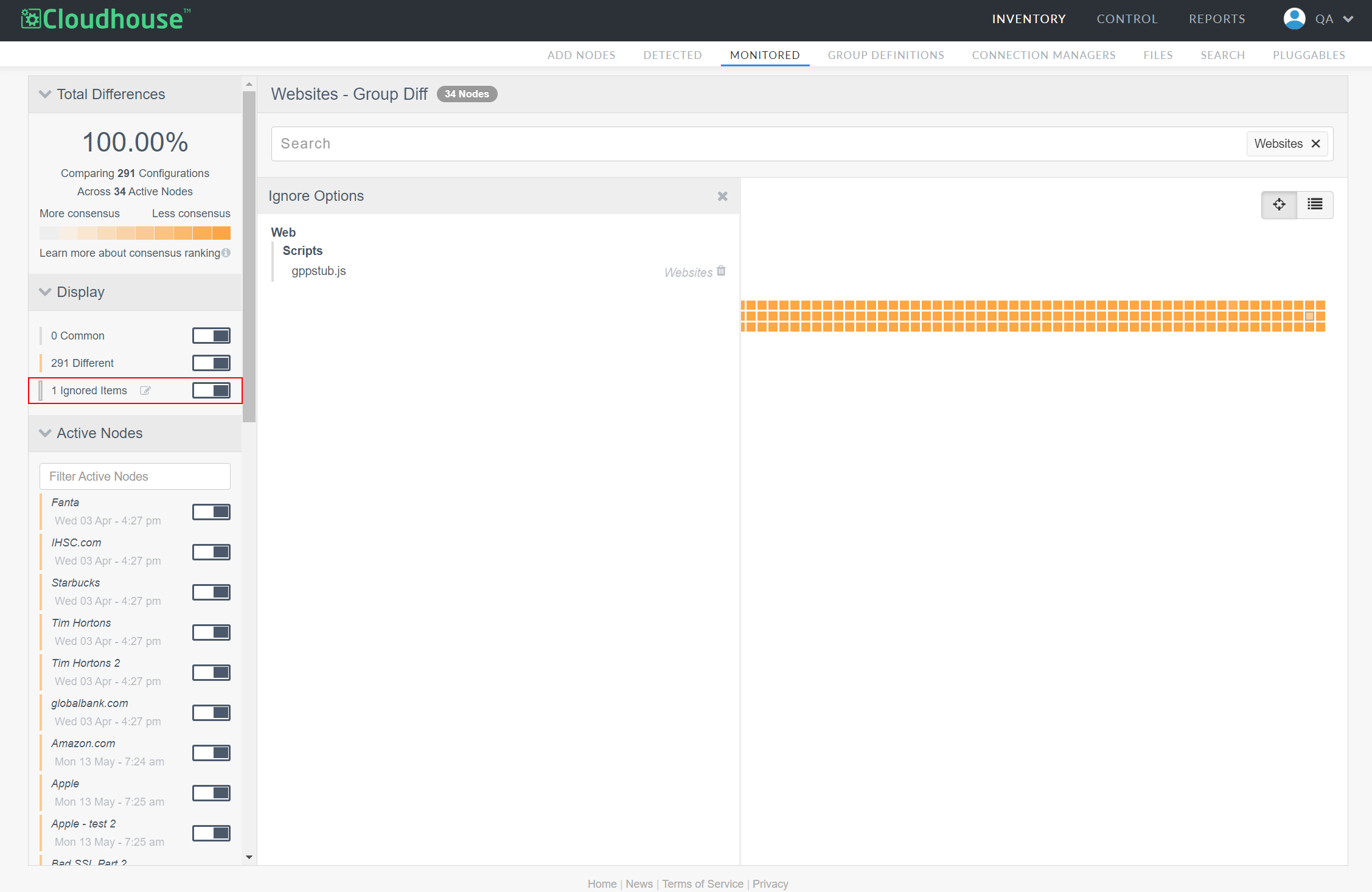
A confirmation dialog is displayed at the top of the page letting you know the configuration item will now be ignored in difference reports of your selected node group. By default, you will no longer see this configuration item in difference reports, though the configuration items themselves will still exist within Guardian. If you wish to toggle these items back into view, you can do so using the Ignored Items toggle in the left sidebar of a difference report.
View and Edit a Group Diff Ignore List
You can view existing ignore lists directly from a difference report or from a node group's Scan Options page. You can also edit ignore lists from either location.
To view/edit an ignore list from a difference report, complete the following process:
-
From a difference report, click the Edit button (
 ) beside Ignored Items in the Display drop-down menu. The Ignore Options panel opens, showing all currently ignored items for this node group's difference reports.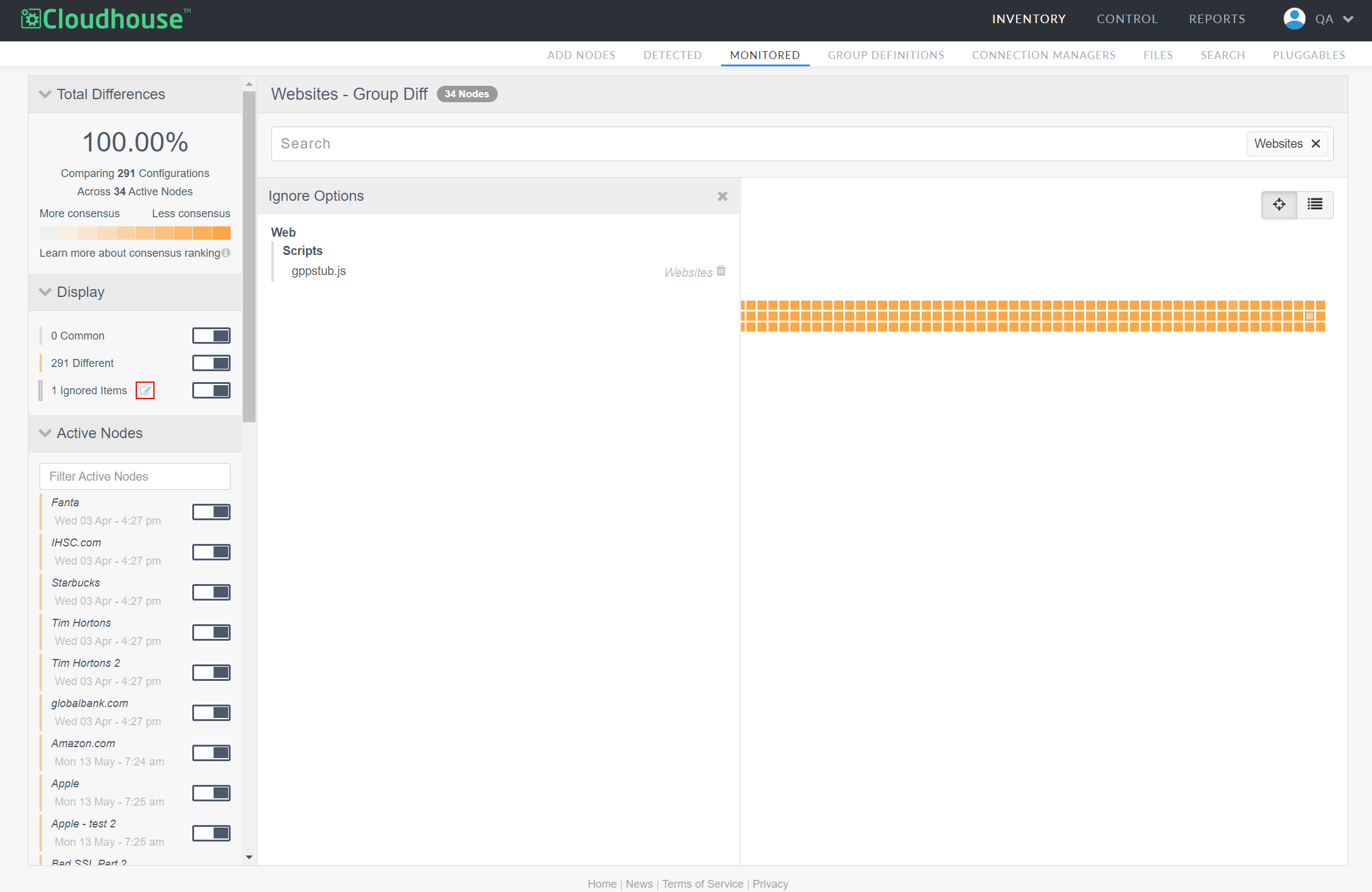
-
To remove an item from the ignore list, click the Delete button (
 ) beside the configuration item.
To view/edit an ignore list from the Scan Options page, complete the following process:
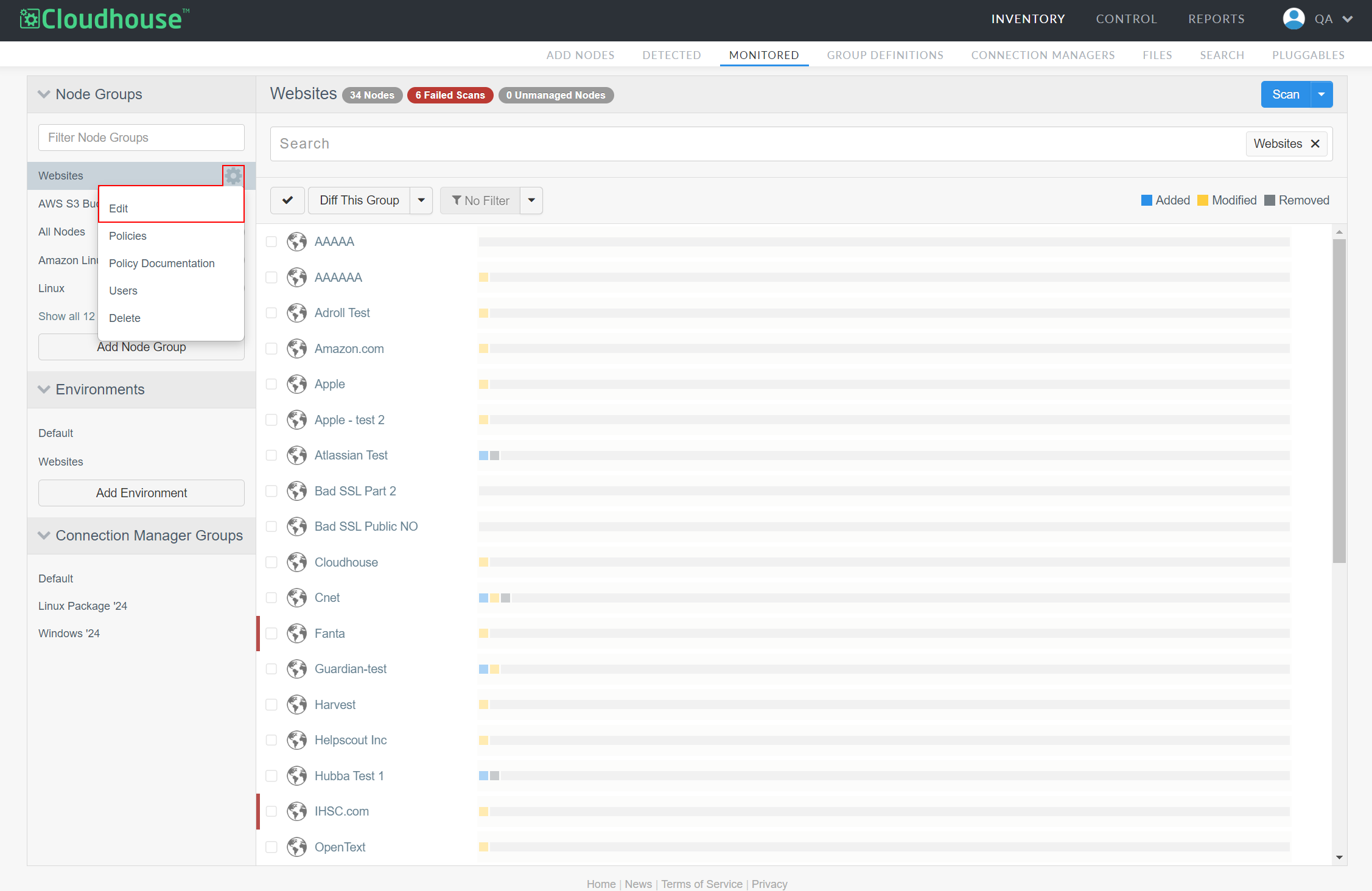
- From the Monitored tab (Inventory > Monitored), select a node group from the Node Groups drop-down menu.
- Click the Settings button (
 ) beside the node group's name.
 -
Select Edit to open the node group's settings.
-
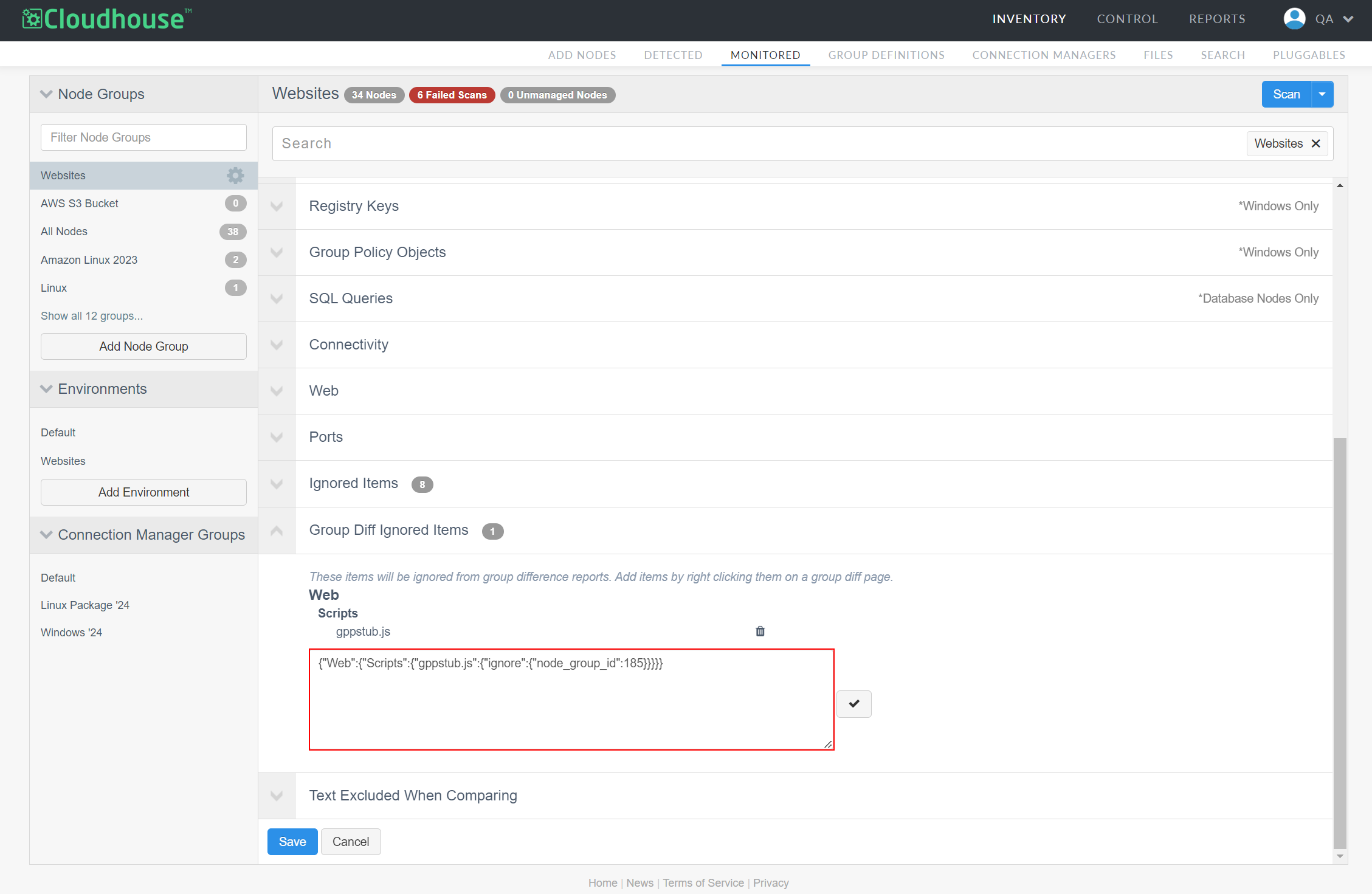
Click the drop-down arrow beside Group Diff Ignored Items.
Any existing ignored items for the selected node group are displayed here. To remove an item, click the Delete button () beside that item. To edit the entire list at once, click the Edit button. The node group's ignore list is displayed in JSON. Here, you can use wildcards to define variable configuration items. Once you've made your changes, click the Checkmark button ( ) to save them.