AWS Integration
An Amazon Web Services (AWS) integration with Cloudhouse Guardian (Guardian) allows you to automatically sync and detect nodes from your AWS instance(s) to be added to Guardian for monitoring and evaluation. This topic describes the steps you need to complete to setup an AWS integration to Guardian.
Dependencies
To add an AWS integration, you need the following:
- An AWS account.
-
One or more of the following services enabled within your AWS instance:
- Auto Scaling Groups.
- CloudFormation.
- CloudTrails.
- CloudWatch.
- Config Services.
- EBS Volumes.
- EC2 Instances.
- Access Analyzer.
- IAM Access Analyzers.
- IAM Account.
- Key Management Services.
- Lambda Functions.
- Load Balancers.
- Load Balancers V2.
- RDS Instances.
- S3 Buckets.
- Security Groups.
- VPCs.
- VPC Flow Logs.
- VPC Subnets.
-
Security Group Permissions – Required for each of the above service(s) you plan to add to Guardian for monitoring. For more information, see Security Group Permissions.
Add an AWS Integration
Integrating AWS with Guardian establishes a seamless connection to streamline the process of syncing and monitoring your AWS nodes, ensuring they are efficiently scanned in Guardian.
To add an AWS integration to Guardian, complete the following:
-
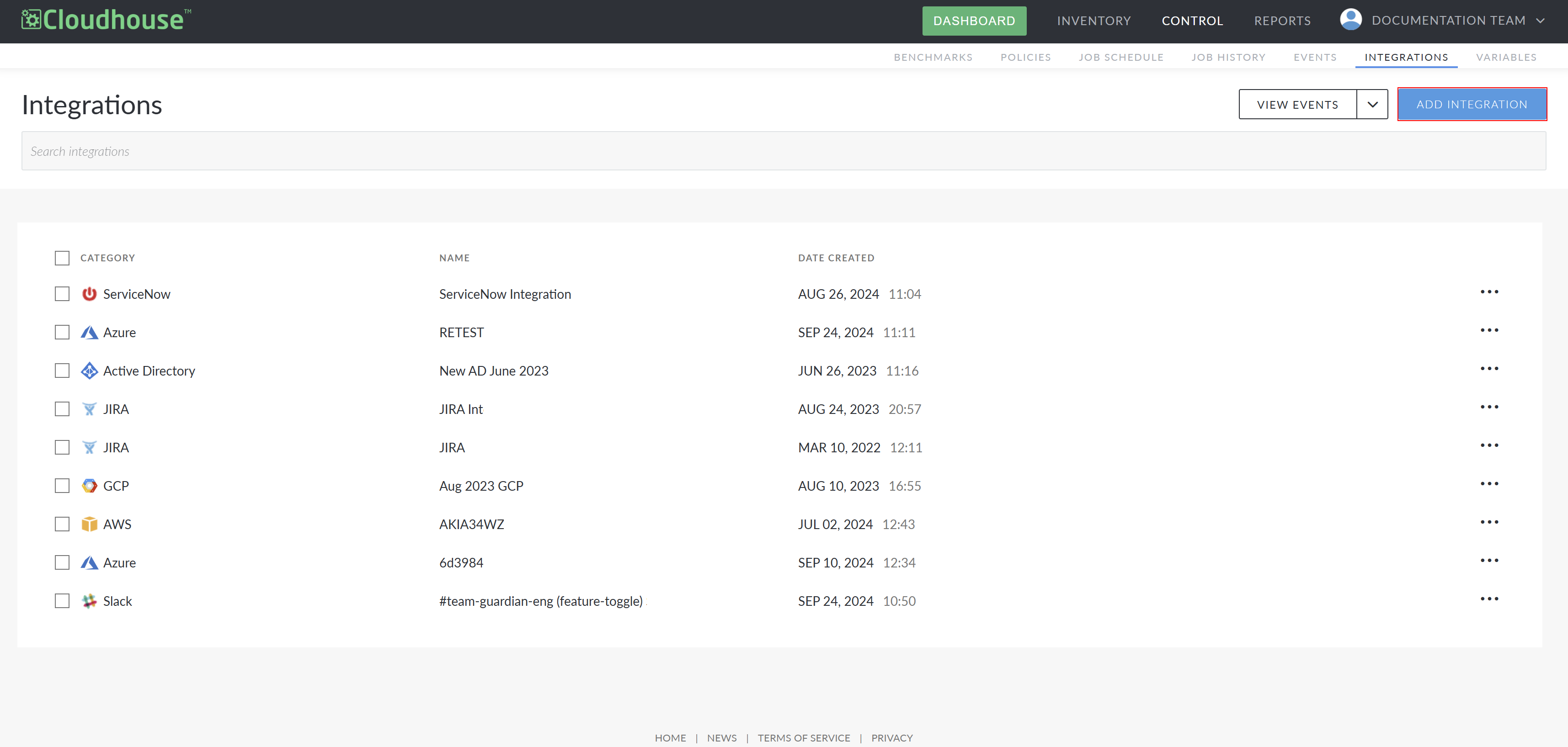
In the Guardian web application, navigate to the Integrations tab (Control > Integrations) and click Add Integration. The Add Integration page is displayed.
-
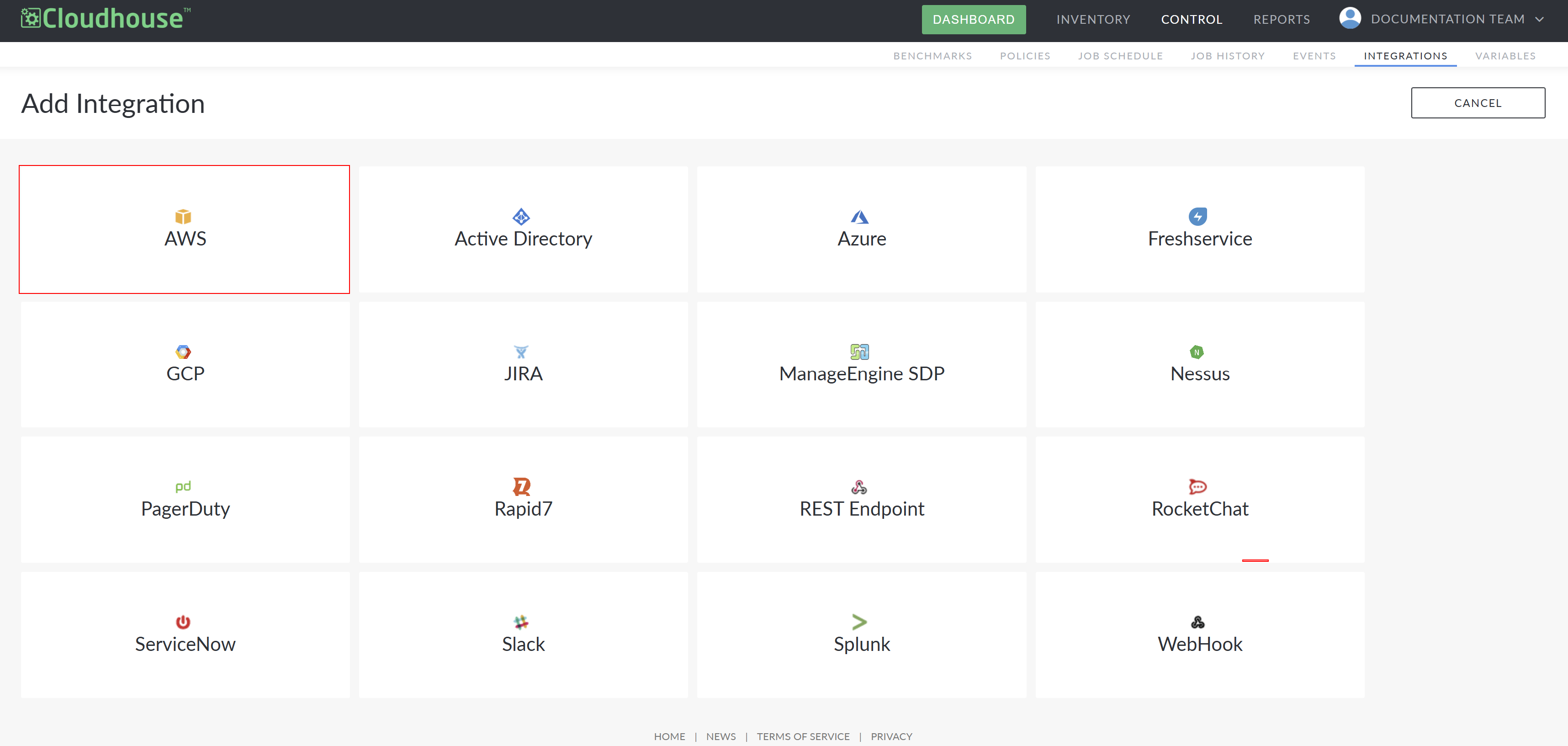
Select AWS from the list of available integrations. Here, you are required to complete the following options:
Option Description Name field The display name for the integration within Guardian. This name is how you will identify the integration among all others configured in your Guardian instance, so ensure it is descriptive. Connection Manager Group drop-down list The Connection Manager group that is responsible for scanning and retrieving your AWS node(s). Select a Connection Manager group from the drop-down list. AWS Access Key field The unique IAM account identifier. For more information on how to source this, see AWS Scan User Account. AWS Secret Key field The secret access key that is required to sign the request. For more information on how to source this, see AWS Scan User Account. AWS IAM Role ARN (Optional) field The Amazon resource name that specifies the role of the IAM account holder. For more information on how to source this, see AWS Scan User Account. AWS Regions (Optional) field The region your AWS account is using. This is displayed in your AWS Console login URL. For example, 'https://console.aws.amazon.com/console/home?region=us-west-1'. Enable Multi-Account Detection field Option to enable multi-account detection. If selected, discovery across multiple accounts using one set of credentials is enabled. For more information on how to source this, contact your Cloudhouse Representative. Check Things You Want To Detect checkboxes The option(s) you want to add to Guardian for monitoring. Select the checkbox(es) you want to detect. For example, ‘Auto Scaling Groups’. Selecting a checkbox displays the following detection options: - Ignore [Node Type] Nodes – Option to ignore specific nodes from scans. Enter regular expression (RegEx) tags in the [Node Type] Ignore Tags field. Nodes containing these tags will not be included during scans. Note: The Negate [Node Type] Ignore Tags checkbox reverses the detection rules you've set. If selected, the nodes containing the tags you entered will be the only ones included for detection. - Remove [Node Type] Nodes – Option to remove specific nodes when they are no longer detected. Enter RegEx tags in the [Node Type] Remove Tags field. Nodes containing these tags will be removed if they are not detected during a scan. Note: The Negate [Node Type] Remove Tags checkbox reverses the detection rules you've set. If selected, the nodes that don't contain the tags you entered will be removed and the only nodes included for detection will be the ones that contain the tags. - Allow Existing [Node Type] Nodes to Be Removed – Option to change the standard behavior of ignoring nodes with tags. Normally, if a node is ignored due to the tags, nodes can't be removed. However, selecting the Allow Existing [Node Type] Nodes to Be Removed checkbox lets you remove previously ignored nodes later when they are no longer detected, despite the ignore detection rule. Tip: The Allow Existing [Node Type] Nodes to Be Removed checkbox was removed in V4.3.51.0 of Guardian. For more information, see January 2025 Quarterly Release. Note: If the EC2 Instances checkbox is selected from the list of Check Things You Want To Detect checkboxes, additional fields are displayed to allow you to configure what aspects of the EC2 instance to import to Guardian. For more information on how to configure these settings, see EC2 Instances. Ignore Ephemeral Nodes checkbox Option to ignore ephemeral nodes. If selected, ephemeral nodes are not imported and not included in node scans. Remove Ephemeral Nodes checkbox Option to remove ephemeral nodes. If selected, ephemeral nodes are removed from the Guardian import list. Automatically start monitoring and scanning newly detected nodes checkbox Option to automatically start monitoring and scanning your nodes once the AWS integration has been created. If selected, the imported nodes are automatically added to the Monitored tab (Inventory > Monitored) for regular scanning. Here, you can apply policies, create node groups, and schedule regular scans. For more information, see Monitored Nodes. If not selected, the nodes are added to the Detected tab (Inventory > Detected) for processing. To monitor the detected nodes, you must move them to the Monitored tab. For more information, see Detected Nodes. -
Once you have set the correct values for each of the options displayed, click Done to create the AWS integration.
If successful, a confirmation message is displayed and the AWS integration is added to the Integrations tab of your Guardian instance. If unsuccessful, an error message is displayed. Use the information displayed in the error message(s) to troubleshoot the values in your AWS Integration options.
Integration Outcomes
When integrating AWS with Guardian, the following outcomes are expected:
- The integration stores the credentials that you supply to Guardian securely, within the database.
- An automatic synchronization (between Guardian and AWS) occurs every two hours. For more information on how to alter this interval, see Job Schedule (Control > Job Schedule).
- The sync event calls out to AWS using the supplied credentials to return a list of detected nodes and their corresponding details.
- By default, any nodes that Guardian detects within your AWS instance are automatically stored within the Detected tab for processing.
- Alternatively, if the Automatically start monitoring and scanning newly detected nodes checkbox is selected, the detected nodes are added to the Monitored tab instead.
Troubleshooting
If you are experiencing issues with your integration, try the following:
- Verify that the account credentials supplied for the integration are correct.
- Depending on how the integration was configured, the synced nodes are either displayed on the Detected tab or the Monitored tab.
- To confirm the status of the integration sync, check the integration sync event in the Events tab (Control > Events) of your Guardian instance. For more information, see Events.
Security Group Permissions
When setting up an AWS integration, the following security group permissions are required, in order to sync and scan nodes from the corresponding service(s):
| Service | Permissions |
|---|---|
| Auto Scaling Groups | autoscaling:DescribeAutoScalingGroups |
| CloudFormation | cloudformation:DescribeStacks cloudformation:GetTemplate cloudformation:GetTemplateSummary cloudformation:ListStackInstances cloudformation:ListStacks cloudformation:ListStackSets |
| CloudTrails | cloudtrail:DescribeTrails cloudtrail:GetEventSelectors cloudtrail:GetTrailStatus cloudtrail:ListPublicKeys cloudtrail:ListTrails s3:GetBucketLogging s3:GetBucketPolicy |
| CloudWatch | cloudwatch:DescribeAlarms cloudwatch:ListDashboards cloudwatch:ListTagsForResource events:ListEventBuses events:ListRules logs:DescribeLogGroups |
| Config Services | config:DescribeConfigurationRecorders |
| EBS Volumes | ec2:DescribeVolumes |
| EC2 Instances | ec2:DescribeInstances ec2:DescribeRouteTables ec2:DescribeSubnets |
| IAM Access Analyzers | access-analyzer:ListAnalyzers access-analyzer:ListPolicyGenerations access-analyzer:ListTagsForResource |
| IAM Account | iam:GenerateCredentialReport iam:GetAccessKeyLastUsed iam:GetAccountPasswordPolicy iam:GetAccountSummary iam:GetCredentialReport iam:GetGroupPolicy iam:GetPolicyVersion iam:GetRolePolicy iam:GetUserPolicy iam:ListAccessKeys iam:ListAttachedGroupPolicies iam:ListAttachedRolePolicies iam:ListAttachedUserPolicies iam:ListGroupPolicies iam:ListGroups iam:ListGroupsForUser iam:ListMFADevices iam:ListPolicies iam:ListRolePolicies iam:ListRoles iam:ListServerCertificates iam:ListUserPolicies iam:ListUsers iam:ListUserTags iam:ListVirtualMFADevices |
| Key Management Service | kms:DescribeKey kms:GetKeyRotationStatus kms:ListAliases kms:ListResourceTags |
| Lambda Functions | lambda:GetFunction lambda:GetPolicy lambda:ListFunctionEventInvokeConfigs lambda:ListProvisionedConcurrencyConfigs lambda:ListTags |
| Load Balancers | elasticloadbalancing:DescribeListeners elasticloadbalancing:DescribeLoadBalancers elasticloadbalancing:DescribeLoadBalancerAttributes elasticloadbalancing:DescribeLoadBalancerPolicies elasticloadbalancing:DescribeLoadBalancerPolicyTypes elasticloadbalancing:DescribeSSLPolicies elasticloadbalancing:DescribeTags |
| Load Balancers V2 | elasticloadbalancing:DescribeListeners elasticloadbalancing:DescribeLoadBalancers elasticloadbalancing:DescribeLoadBalancerAttributes elasticloadbalancing:DescribeLoadBalancerPolicies elasticloadbalancing:DescribeLoadBalancerPolicyTypes elasticloadbalancing:DescribeSSLPolicies elasticloadbalancing:DescribeTags |
| RDS Instances | rds:DescribeDBInstances rds:ListTagsForResource |
| S3 Buckets | s3:GetBucketAcl, s3:GetBucketCORS s3:GetBucketEncryption s3:GetBucketEncryptionConfiguration s3:GetBucketLocation s3:GetBucketLogging s3:GetBucketPolicy s3:GetBucketPublicAccessBlock s3:GetBucketReplication s3:GetBucketTagging s3:GetBucketVersioning s3:GetObjectAcl s3:ListAllMyBuckets |
| Security Groups | ec2:DescribeSecurityGroups |
| VPCs | ec2:DescribeNetworkAcls ec2:DescribeVpcAttribute ec2:DescribeVpcs |
| VPS Flow Logs | ec2:DescribeFlowLogs |
| VPC Subnets | ec2:DescribeSubnets |