Exclude Node Group from Policy
Cloudhouse Guardian (Guardian) allows you to apply policies to node groups to enforce compliance with security and operational requirements. If you have applied a policy to a high-level node group, such as 'Windows Server 2019', but need to exclude specific nodes from the compliance checks, you can create a separate node group containing those nodes and exclude that group from policy. This way, the policy still applies to the high-level group while ensuring the excluded nodes are not considered for compliance evaluation.
This topic describes how you can exclude a node group from a policy, allowing you to customize policy enforcement by removing specific nodes from compliance evaluation.
To exclude a node group from a policy, complete the following steps:
-
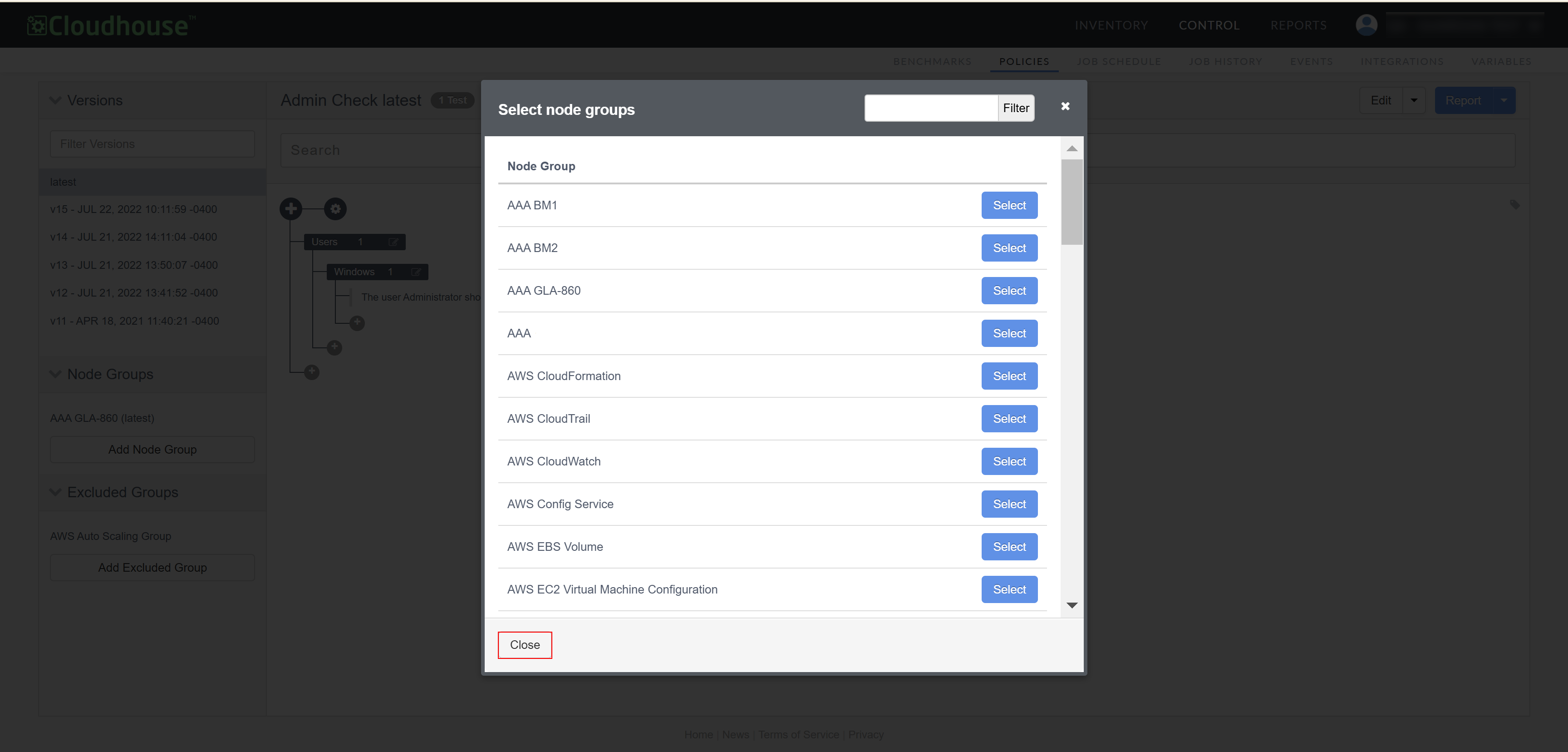
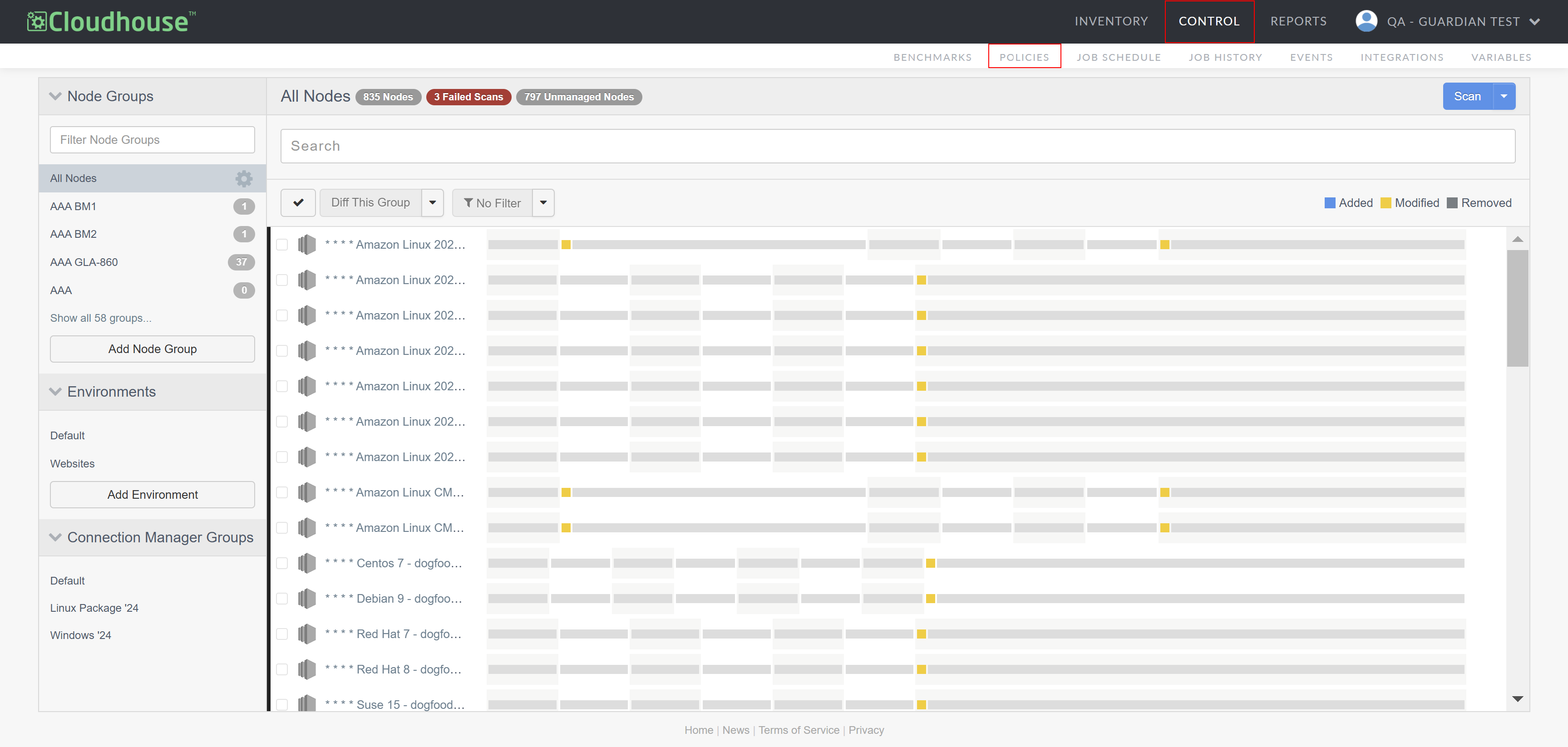
In the Guardian web application, navigate to the Policies tab (Control > Policies). The custom policies are displayed.
-
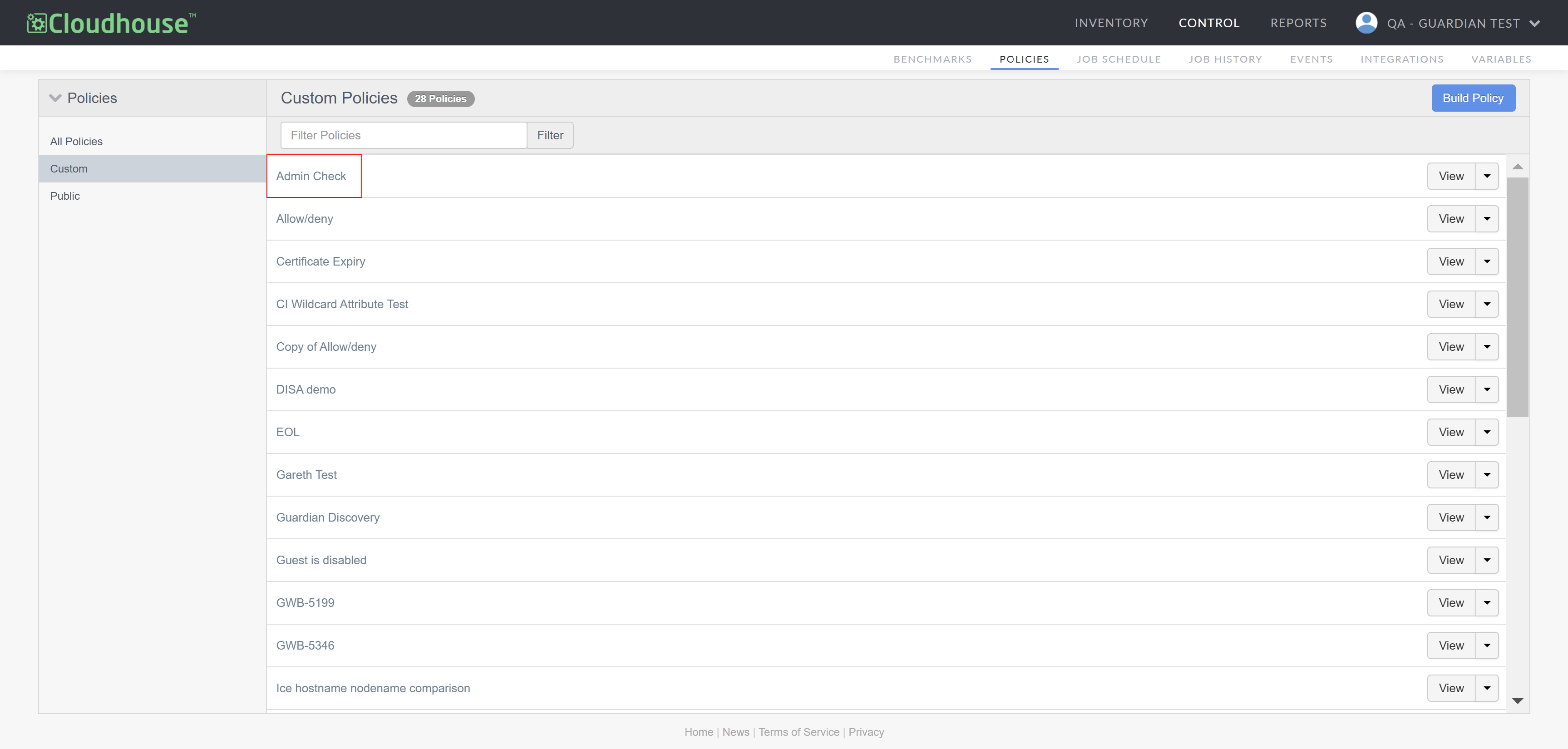
From the list displayed, select the policy you want to configure. If any node groups are already excluded from the selected policy, they are displayed in the Excluded Groups drop-down menu.
-
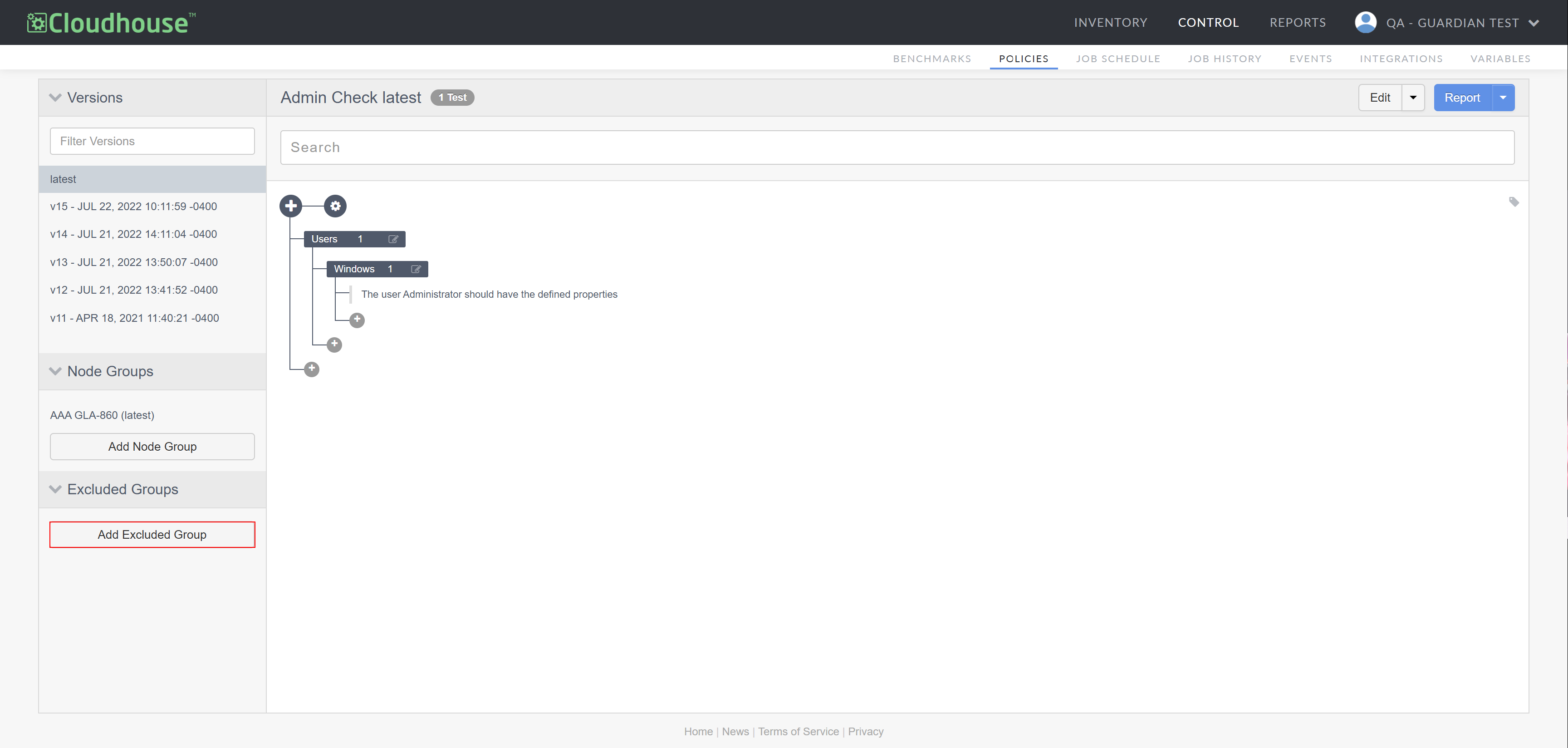
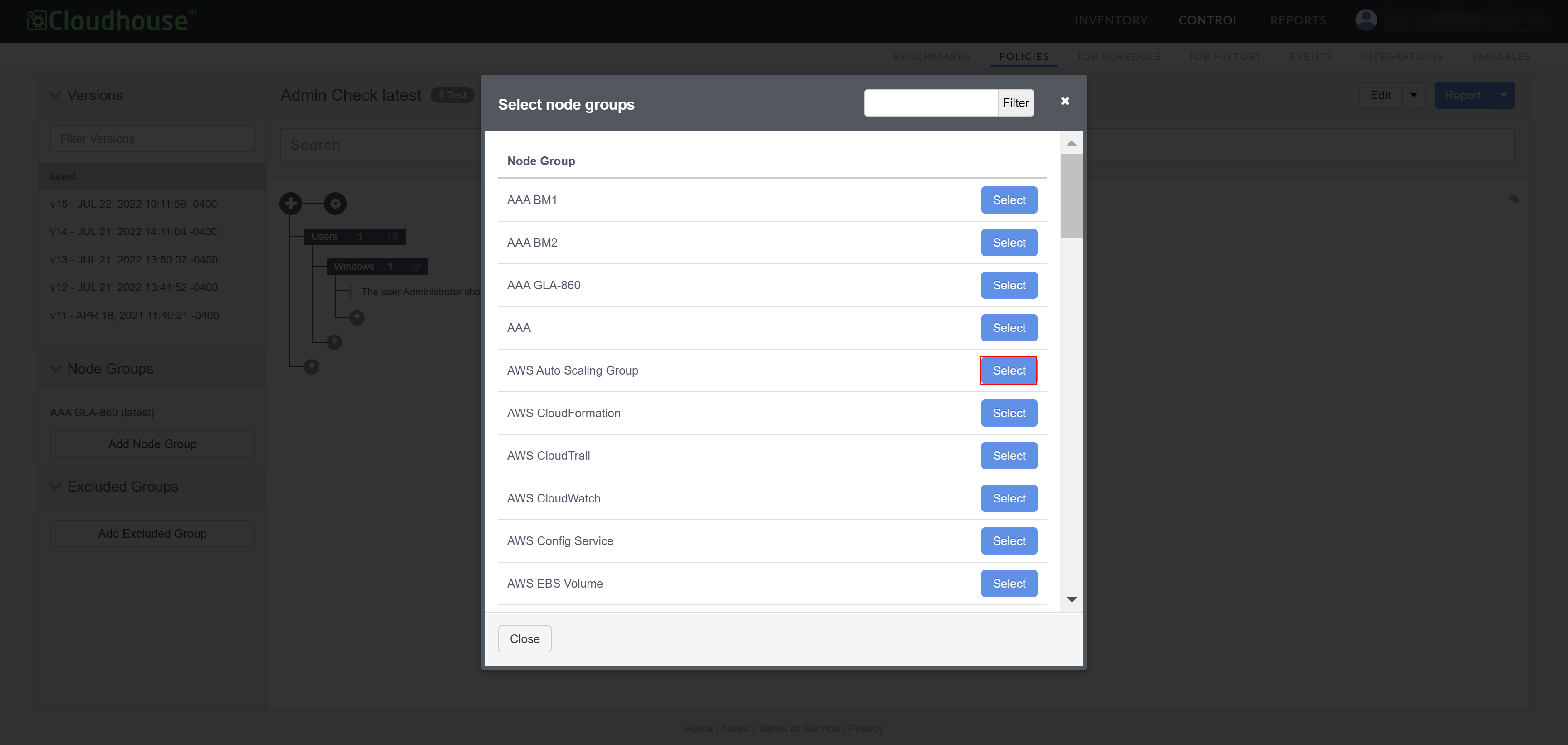
Select Add Excluded Group from the Excluded Groups drop-down menu. The Select node groups dialog is displayed.
-
From the list displayed, click Select next to the node group you want to exclude, or use the search box to filter your results.
-
Once selected, the node group is added to the Excluded Groups drop-down menu. You can exclude multiple node groups from a policy at a time. Once complete, click to Close the dialog.